 50 Cent Smiling
Monkey Puppet Side-Eye Meme Generator
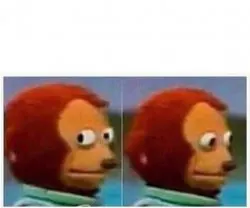
Show an awkward situation followed by a red-haired puppet monkey nervously looking away with this two-panel reaction meme template.
Drag a box to move it, or its corners to resize. Everything renders on your device — nothing is uploaded.
Meme lore
What is the Monkey Puppet Side-Eye meme?
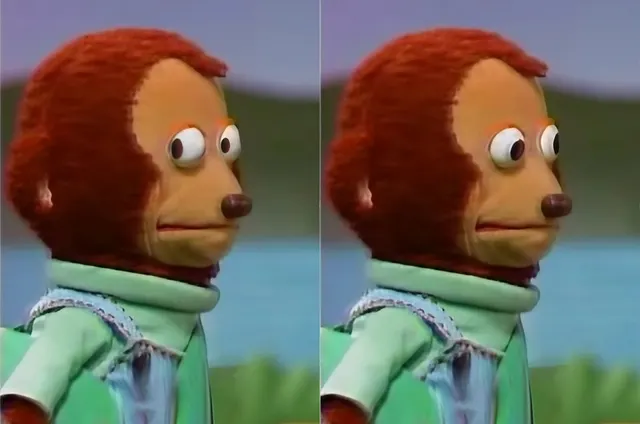
Monkey Puppet Side-Eye is a two-panel reaction template built around a subtle shift from a neutral stare to an uncomfortable sideways glance. It is commonly used for moments when someone notices trouble, gets caught, or pretends not to be involved.
Origin & history
The image comes from a puppet or children's television production and later circulated online as a reaction image. The exact program and earliest meme spread are unclear, but the side-eye format became widely recognizable through social media reposts.
This template uses two consecutive-looking frames of a red-haired monkey puppet in a green outfit. The first frame establishes a neutral expression, while the second emphasizes the character's eyes shifting sideways, creating the awkward, guilty, or quietly judgmental reaction that drives the meme.
Caption this Monkey Puppet Side-Eye meme with your own text in the editor above, then download the finished PNG free — for Reddit, X, Instagram, WhatsApp, Discord or the group chat.
Best used for
- Noticing someone has entered the group chat after being discussed
- Pretending not to hear an awkward comment
- Watching a friend make an obviously bad decision
- Realizing the problem might somehow be your fault
- Trying to look innocent after getting caught
Template details
- Size
- 1360 × 900 px
- Download
- PNG
- Caption slots
- 1
- Layout
- Two Panel
- Panels
- 2
- Category
- Reaction
Step by step
How to make a Monkey Puppet Side-Eye meme
- 1
Open the Monkey Puppet Side-Eye template
The blank Monkey Puppet Side-Eye meme is already loaded in the editor at the top of this page. There is nothing to install and no account to create.
- 2
Write your captions
Type into the the awkward situation field in the panel beside the image, or tap one of the example captions to start from a working joke.
- 3
Place the text
Drag a caption box on the image to move it, or drag a corner to resize it. The text rewraps and shrinks to fit as you go.
- 4
Download your meme
Press Download PNG for the finished 1360×900 image, or Copy to paste it straight into a chat. Turn the watermark off first if you would rather not have one.
How the joke works
Put the awkward situation or revealing statement in the top caption, then let the left-to-right eye movement deliver the reaction.
Tone: awkward and quietly suspicious
awkward silenceguilty reactionpretending not to noticequiet judgment
Caption tips
- Keep captions short enough to read across the top.
- Use the left panel for the setup and the right eye movement as the punchline.
- Favor awkward, guilty, suspicious, or quietly judgmental situations.
AI studio
Let AI write the captions
Describe the joke once and get four captioned variants on the templates that fit it — then open the one you like in this editor.
Generate captionsFor agents
memeworld ships a REST API and an MCP server, so Claude, Cursor or your own agent can pull this template, caption it and render the image.
GET /api/v1/templates/monkey-puppet-side-eye-1270Agent docsMonkey Puppet Side-Eye meme generator FAQ
What is the Monkey Puppet Side-Eye meme?
Monkey Puppet Side-Eye is a two-panel reaction template built around a subtle shift from a neutral stare to an uncomfortable sideways glance.
How do I make a Monkey Puppet Side-Eye meme?
Open the editor at the top of this page, type your caption, drag the text where you want it, and download the finished PNG. It takes about twenty seconds.
Is the Monkey Puppet Side-Eye meme generator free?
Yes. Captioning and downloading are free, there is no account to create, and there is no cap on how many you make.
How many captions does the Monkey Puppet Side-Eye template take?
One caption: the awkward situation. You can leave any of them blank, and you can move or resize each box on the image.
Where does the Monkey Puppet Side-Eye template come from?
The image comes from a puppet or children's television production and later circulated online as a reaction image. The exact program and earliest meme spread are unclear, but the side-eye format became widely recognizable through social media reposts.
What file do I get?
A 1360×900 PNG, ready to post to Reddit, X, Instagram, WhatsApp, Discord or the group chat.
Is there a watermark?
A small memeworld watermark is drawn in by default. Switch it off in the editor panel before you download and the export is clean.
Are my memes uploaded anywhere?
No. The renderer runs in your browser, so your captions and the finished image never leave your device.
Can an AI write Monkey Puppet Side-Eye captions?
Yes. Describe your joke on the Create page and memeworld writes captions onto the templates that fit it, ready to open in this editor. Agents can do the same through the REST API and the MCP server.
Related meme templates
Templates that share tags with Monkey Puppet Side-Eye — similar characters, formats and reactions, not just the most popular blanks.
50 Cent Smiling Calling The Police
 Shocked Hijabi Selfie Reaction
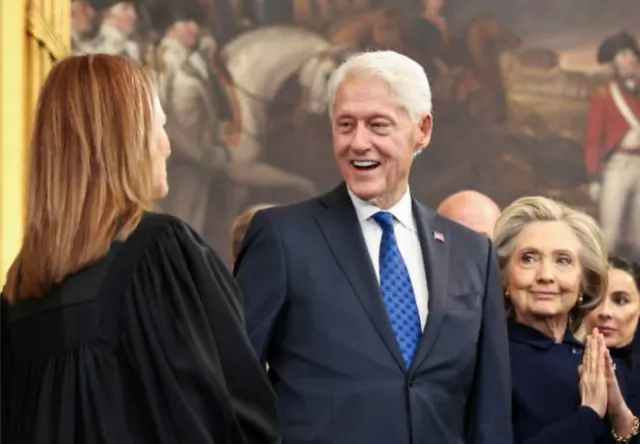 Bill Clinton Laughing While Hillary Watches
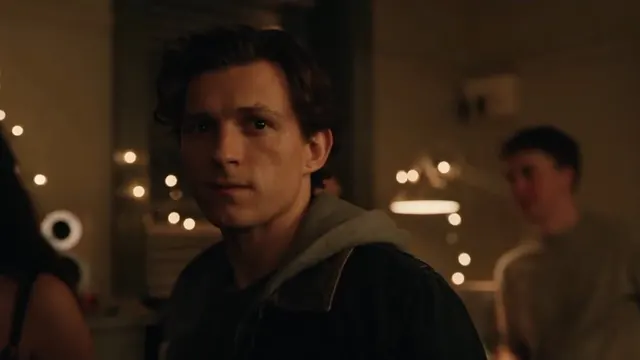 Broken Peter Parker Reaction
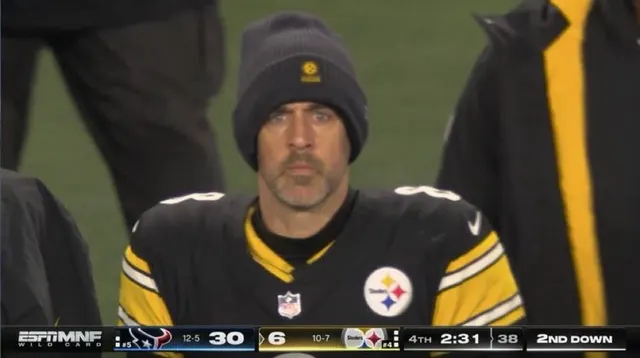 Aaron Rodgers Intense Sideline Stare
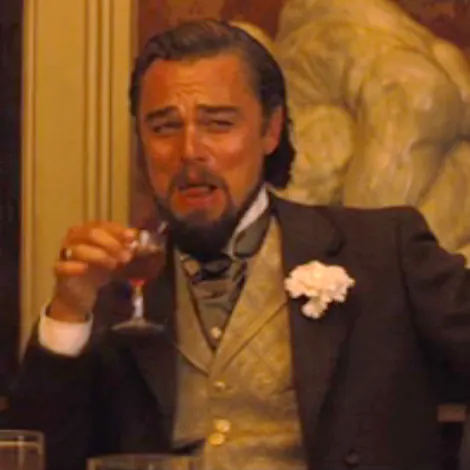 Leonardo DiCaprio Laughing At Dinner
 Squidward Watching Through Blinds
 Cabral Hugging His Girlfriend After a Goal
 Brendan Fraser’s Sad Smile From The Whale
 Confession Bear
 Shocked Otter
 Awkward Look Monkey Puppet
 Blonde Woman Looking at the Camera
 Guy Recording A Fight
 Alec Baldwin Shushing In A Car
 Bryson DeChambeau Awkward Interview Smirk
 Ansem Sitting Behind The Bed
 Protected Kevin Hart
 Carlos Prates Celebratory Back Control Pose
 Bro To Bro Advice
 Samuel L. Jackson Say What Again
 All Right Then, Keep Your Secrets
 Carson Wentz In Pain50 Cent SmilingShocked Hijabi Selfie ReactionBroken Peter Parker ReactionAaron Rodgers Intense Sideline StareProtected Kevin HartCabral Hugging His Girlfriend After a GoalBrendan Fraser’s Sad Smile From The WhaleSamuel L. Jackson Say What AgainShocked Otter50 Cent SmilingAlec Baldwin Shushing In A CarAnsem Sitting Behind The BedBro To Bro AdviceAll Right Then, Keep Your SecretsAwkward Look Monkey PuppetGuy Recording A FightBroken Peter Parker ReactionLeonardo DiCaprio Laughing At DinnerCabral Hugging His Girlfriend After a GoalConfession Bear50 Cent SmilingBill Clinton Laughing While Hillary WatchesLeonardo DiCaprio Laughing At DinnerCabral Hugging His Girlfriend After a GoalSamuel L. Jackson Say What AgainAwkward Look Monkey PuppetShocked Hijabi Selfie ReactionCarlos Prates Celebratory Back Control PoseShocked OtterBlonde Woman Looking at the CameraAlec Baldwin Shushing In A CarProtected Kevin HartBrendan Fraser’s Sad Smile From The WhaleAll Right Then, Keep Your Secrets